


Capital One Quicksilver Credit Card Login | Make a Payment
 Card Info
 Application
Card Rating
Share Your Opinion
Review this card now and let others know your thoughts.
Click here to leave a reviewLogging in to your Capital One Quicksilver account online is easy and secure. Just follow the succeeding steps and you’re on your way to enjoying the convenience of managing your account online.
How to Login / Make a Payment
Step 1: Access the Capital One website through this link. You will be taken to the capital one homepage.
On this page, click on the sign in button located on the uppermost right section.

Step 2: On the Credit Card column on the left side of the screen, click on Sign In under US Credit Cards.

Step 3: You will be redirected to the login page.
Provide your username and passwords in the required fields.Before proceeding, make sure to uncheck the
Before proceeding, make sure to uncheck the Remember Me box if you are accessing the website using a shared or public computer.
however if you are accessing it in a secure device, it is safe to check this box.
Click on login.

Forgot Password / Username
Step 1: If you forgot either your username or password, access the Capital One sign in homepage through the link.
On the login page, instead of providing your username or password, click on either the link that says Forgot Username, if you forgot your username, or Forgot Password if you happen to forget your password.
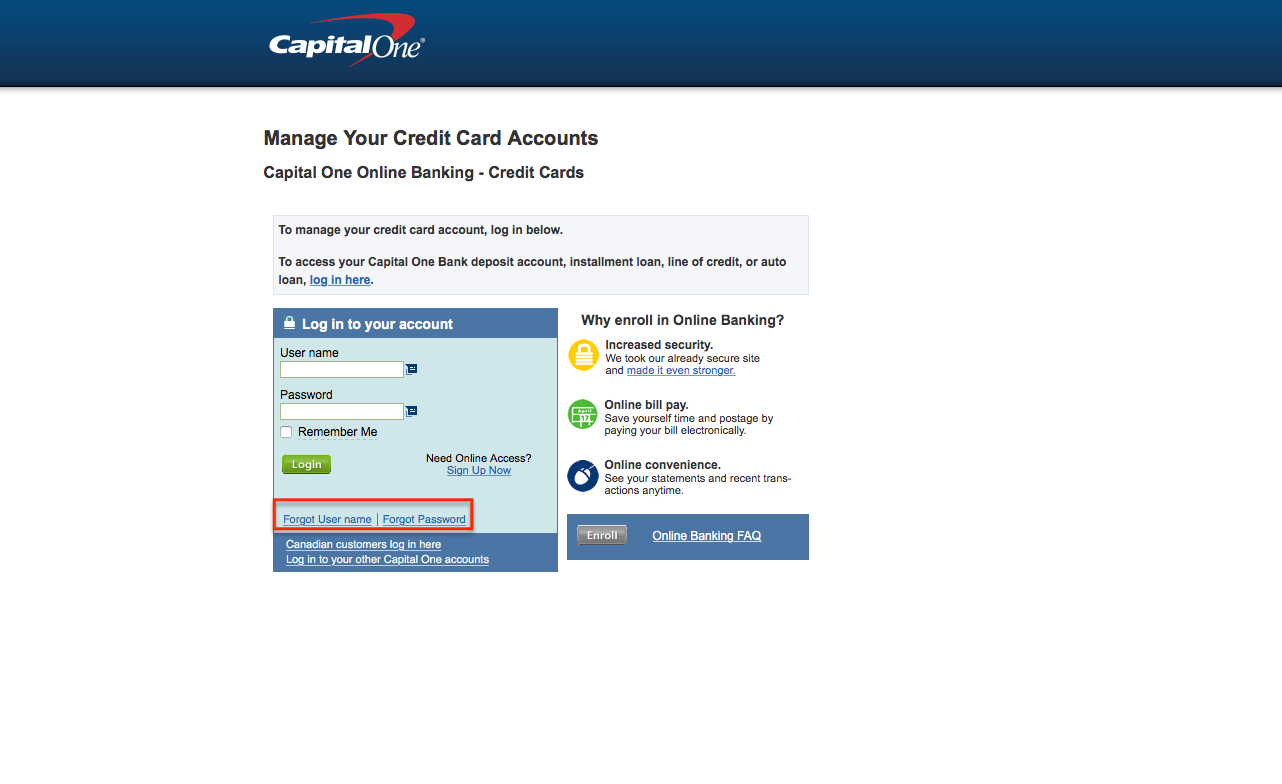
Step 2: If you forgot your username, you will be asked to provide your account number (16 digit account number on the front of the card, no spaces or dashes), and the last four digits of your social security number.
Click on continue and follow the prompts

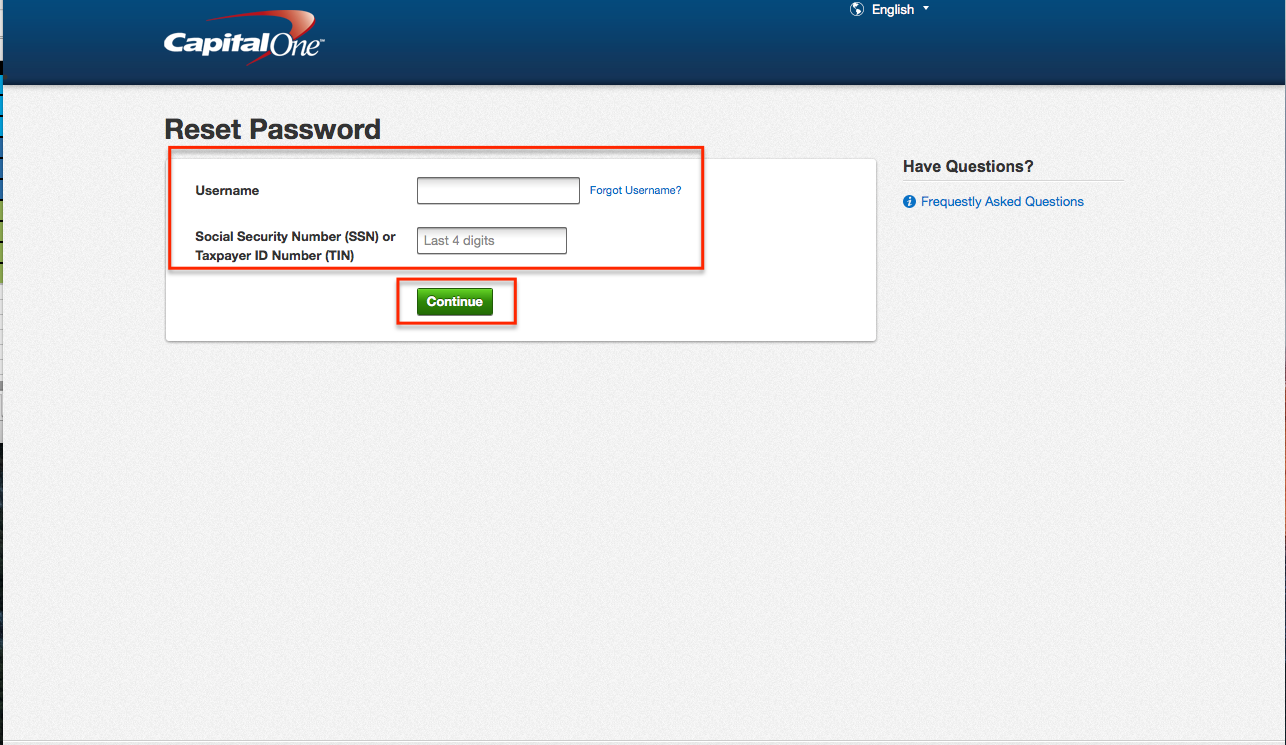
Step 3: If you forgot your password, you will be asked to provide your username and the last four digits of your Social Security Number or last four digits of your Taxpayer ID number.
Click on continue and follow the prompts.
Activation / Registration
Step 1: Access the Capital One website through this link.
You will be taken to the capital one homepage.
On the log in page, click on the link that reads Sign Up Now which should be on the left side of the page.

Step 2: You will be asked to provide the following information
- 16 digit account number
- Security code (last three digits on the back of the card)
- Month, day, year of birth
- Social security number or taxpayer identification number
Click on Continue and follow the prompts when you’re done inputting everything.

FAQs
Q: How can I get the necessary information online regarding my Capital One Quicksilver Credit Card?
All the information about your Capital One Quicksilver Credit Card and the rewards that come with it can be found online. First you need to enroll for online banking, enter your account and there you will find a summary of your rewards information on your online statement or you can find it on the Rewards Summary located in the navigation bar at the top of your screen. Another option is to visit Capital One No Hassle RewardsSM Web site where you can make redemptions and find all of your reward information. If you have questions and you cannot find a solution for your problem, you can also call Rewards Center at 1-800-228-3001, which works from Monday to Friday from 8:00 a.m. to 12:00 a.m., and on Saturday and Sunday from 9:00 a.m. to 10:00 p.m. ET.
Q: In case you have more than one Capital One credit cards account, can you use the same user name and password for all of them?
The primary users of the credit card can link all of their card accounts to one user name and password by signing in and clicking the Services tab. There is an option “Link Your Accounts” and once you click on it, you should follow further instructions so as to be able to successfully link them.
Permium Credit Card Offers
Compare Capital One® Quicksilver® Cash Rewards Credit Card
Recently Compared With (by users)
 Wells Fargo Home Rebate Visa Signature Card
 Bealls Florida Credit Card
 Boscov’s Credit Card
 ABOC Platinum Rewards MasterCard Credit Card
 Zions AmaZing Rewards Credit Card
 World Wildlife Fund BankAmericard Credit Card
 Williams-Sonoma Credit Card
 L.L. Bean Credit Card
See All Comparisons >>
L.L. Bean Credit Card
See All Comparisons >>


