


Citi® / AAdvantage® Executive World Elite™ Mastercard® Credit Card Login | Make a Payment
 Card Info
 Application
Card Rating
Share Your Opinion
Review this card now and let others know your thoughts.
Click here to leave a reviewWith Citi® / AAdvantage® Executive World Elite™ Mastercard® Credit Card issued by Citi Bank you can enjoy the elite experience while traveling. If you already own this card but are having concerns on how to login, activate or register your online account, or simply do not remember your credentials, our guide can help you solve these issues.
How to Login / Make a Payment
Accessing and managing your online account from the City Bank platform can be done in a few simple steps. Here is what you should do:
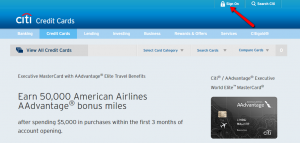
Step 1: First, navigate to the card’s homepage and click the ‘Sign On’ button.
Step 2: Enter your User ID and Password and click the ‘Sign On’ button. You can command the PC to remember your credentials for the next access by simply ticking the appropriate ‘Remember My User ID’ box.

Forgot Password / Username
Should you forget your User ID or Password, the City Bank platform offers a secure and simple way to retrieve/reset them which can be completed in some short steps:
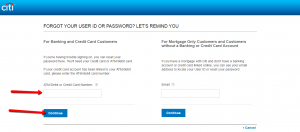
Step 1: Go to the login page and click on the ‘Forgot User ID/Password?’ button.

Step 2: In the newly opened page enter in the appropriate field your ATM/debit or credit card number as displayed on the front of your card and press ‘Continue.’
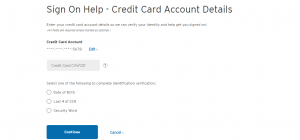
Step 3: Enter your credit card’s CVV/CID in the appropriate field and choose one out of the three indicated options (date of birth/last 4-digits of SSN/security word) for the secure verification of your identity. Afterwards press the ‘Continue’ button.
Activation / Registration
The City Bank provides two separate options for activating your card and registering it online. Below we will guide you step-by-step on how to proceed with each of these processes:
Step 1 (Activate): Open the login page and click on the ‘Activate a card’ button to proceed.

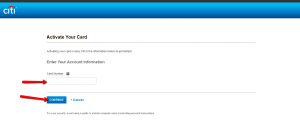
Step 2 (Activate): In the new window enter your credit card number in the appropriate field and press ‘Continue.’
Step 1 (Register): After having activated your card online, you should proceed to register it in order to access and manage your online account. For this you need to return to the ‘Login’ page and click the ‘Register Now’ link. A registration window will open.

Step 2 (Register): Introduce your credit card number in the appropriate field and press the ‘Verify and Continue’ button.
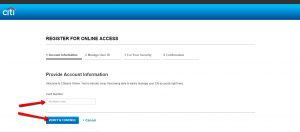
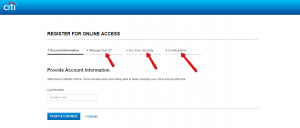
Step 3 (Register): Fill in all the required information relative to your User ID management and security questions and confirm the information you provided in order to register your card online and finally be able to manage your account.
FAQs
Q: What does AA stand for?
AA stands for American Airlines Inc., a major U.S. and one of the world’s largest airlines based on the number of passengers and fleet size. Its headquarters are in Fort Worth, Texas and the company operates nearly 6,700 international and domestic network flights per day to 350 destinations in more than 50 countries. American Airlines Inc. employs over 113,300 people.
Q: What is the difference between CVV and CID number?
Both numbers are used with the same purpose. The only difference is the number of digits and card on which it appears. The CVV Number stands for Card Verification Value, and it is a 3 digit number which can be found on VISA®, MasterCard® and Discover® branded credit and debit cards. CVV numbers are also known as CSC numbers, meaning Card Security Code or CVV2 numbers, which represents that CVV numbers have been generated by a 2nd generation process. It can be found at the back of your credit or debit card. CID stands for Card Identification Number and it is the four digit number printed on the front of your card just above and to the right of your main credit card number. it is used on your American Express credit or debit card. The main aim of these numbers is to reduce the possibility of fraud.
Permium Credit Card Offers
Compare Citi® / AAdvantage® Executive World Elite™ Mastercard® Credit Card
Recently Compared With (by users)
 Citi Double Cash Credit Card
 Abercrombie and Fitch Credit Card
 Capital One® Venture® Rewards Credit Card
 The Blue Business® Plus Credit Card from American Express
 Central Bank Visa Classic Credit Card
 Affinity Credit Union Low Rate MasterCard
 AgFed Credit Union Classic Visa Credit Card
 Apple Rewards Credit Card
See All Comparisons >>
Apple Rewards Credit Card
See All Comparisons >>


