


First Savings Credit Card Login | Make a Payment
 Card Info
 Application
Card Rating
Share Your Opinion
Review this card now and let others know your thoughts.
Click here to leave a reviewRegister your First Savings Credit card for online access so you can check your account anytime, anywhere. If you’re interested, you can read the how-to guide below to help you get started.
How to Login / Make a Payment
Step 1: To log in to your First Savings credit card account, access the website through this link. You should be taken to the first savings credit card homepage.
Click on the Account Login button on the upper-right part of the page

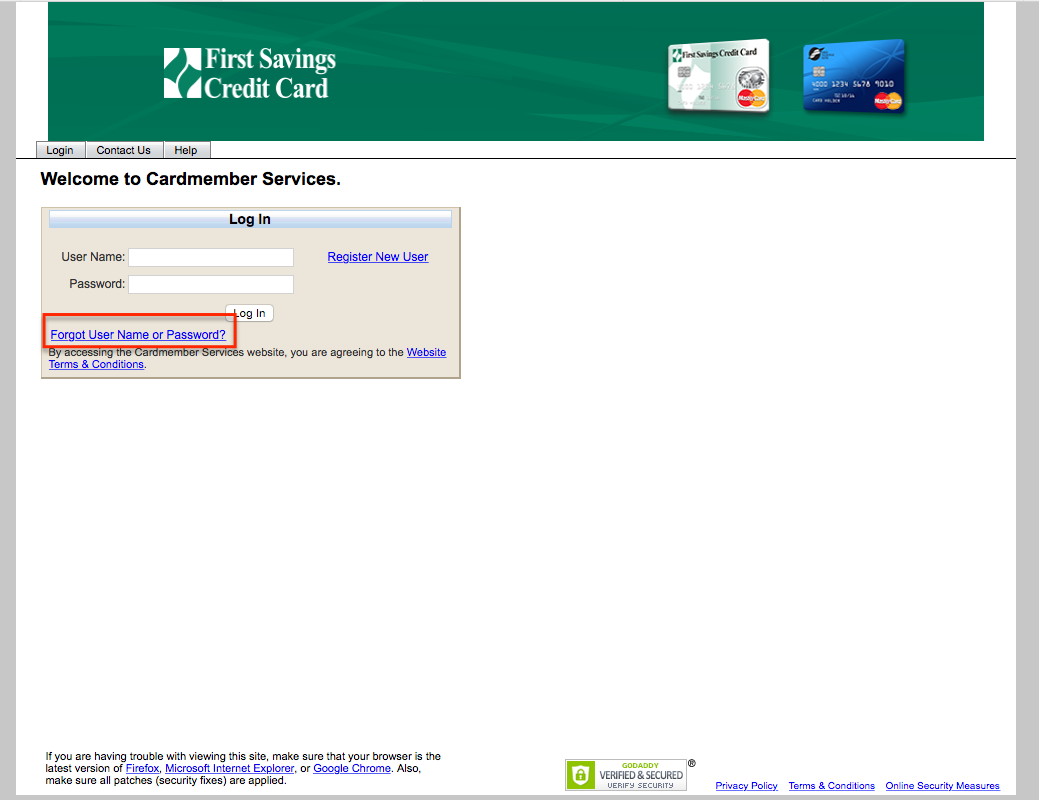
Step 2: Once you are on the login page, input your username and password in the fields located at the left side of the page, then click on the Log In button.

Forgot Password / Username
Step 1: In case you forget your username, your password or both, you may still access your account by opening the first savings credit card homepage through the link.
You will be taken to the First savings credit card homepage. Click on the account login button on the upper-right part of the page
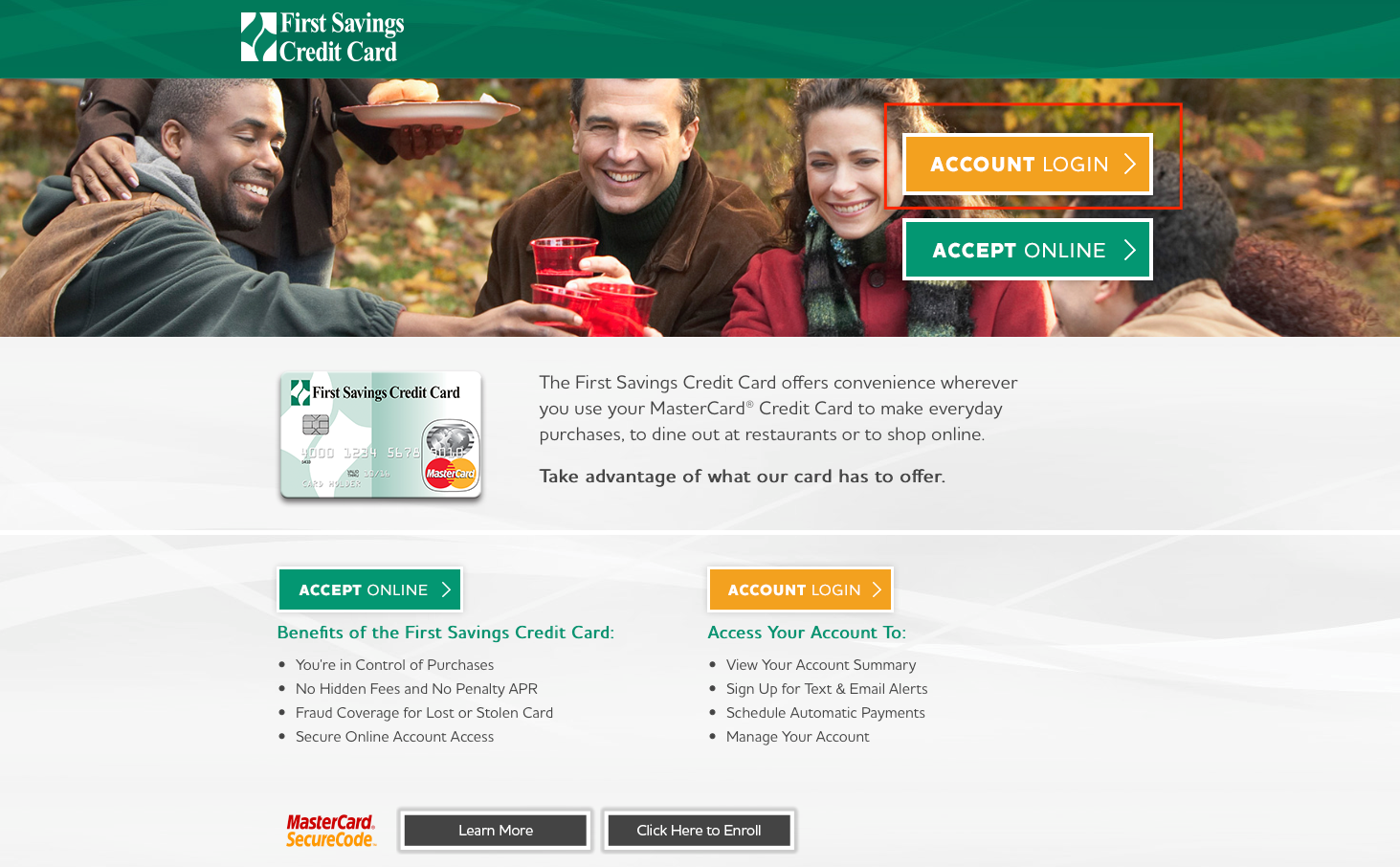
Step 2: In the login page, instead of filling in the fields for your username and password, click on the hyperlink that reads Forgot username or password?
Step 4: Click on continue if you wish to proceed with the security verification process ,otherwise, click on cancel.

Step 5: You will be asked to verify your identity by providing the following information
- Account number
- Expiration date
- Card security code (last three digits on the back of the card)
- Last four digits of your social security number
Remember to fill out all the fields required, otherwise, you will not be able to proceed. Once done, click on continue and follow the prompts

Activation / Registration
Step 1: To register online for your first savings credit card, access the first savings credit card website through the link. It’s the same page that you use to login to your card.
Once in the page, click on the Register New User button.

Step 2: Once you’re in the Register New User Page, you have to enter the following information
- Account Number
- Expiration date of the card
- Card Security Code
- Last 4 Digits of the card’s SSN
Click on the Continue button when you’re done, and follow the prompts

FAQs
Q: How can I know whether I am eligible for the First Savings Credit Card or not?
Besides being 18 years old and possessing social Security Number, as well as being the citizen of the U.S., there are some more conditions necessary to be fulfilled before you can get the First Savings Credit Card. The full eligibility requirements can be found on the eligibility form which will be sent to you by mail, if you are really interested in applying. All you need to do is to call the First Savings Credit Card customer service line at 1-888-469-0291 and they will provide you with all the information and send you the form.
Q: Where can I find the reservation number and access code, since the online application form asks for them?
The reservation number and access code can be found on the application form that you have received. Actually, you cannot apply for the card fully online. You need to call the customer service or visit the branch, so as to get the application form. On the application form, there are both reservation number and access code which you need to type in. If you still have problem finding it, then it is better to contact the customer service.
Permium Credit Card Offers
Compare First Savings Credit Card
Recently Compared With (by users)
 Citibank Simplicity Credit Card
 Arvest Classic Visa Credit Card
 AgFed Credit Union Classic Visa Credit Card
 BankAmericard Better Balance Rewards Credit Card
 Frontier Airlines Credit Card
 Bass Pro Shops Outdoor Rewards Credit Card
 Elvis Presley Credit Card
 Upromise Mastercard Credit Card
See All Comparisons >>
Upromise Mastercard Credit Card
See All Comparisons >>


I am trying to rebuild my credit after a bankruptcy so was thrilled to obtain another credit card. My only complaint would be that I am only able to make 2 online payments a month it seems. I have been making weekly payments on all my cards when I get paid except for this one which I have to double the payment biweekly. It’s annoying.