


Merrill Lynch Credit Card Login | Make A Payment
 Card Info
 Application
Card Rating
Share Your Opinion
Review this card now and let others know your thoughts.
Click here to leave a reviewRegister your Merrill Lynch credit card for online login and have access to your account 24 hours a day. You can manage your account wherever you are in the comfort of your personal device. The how-to below will show you how.
How to Login / Make a Payment
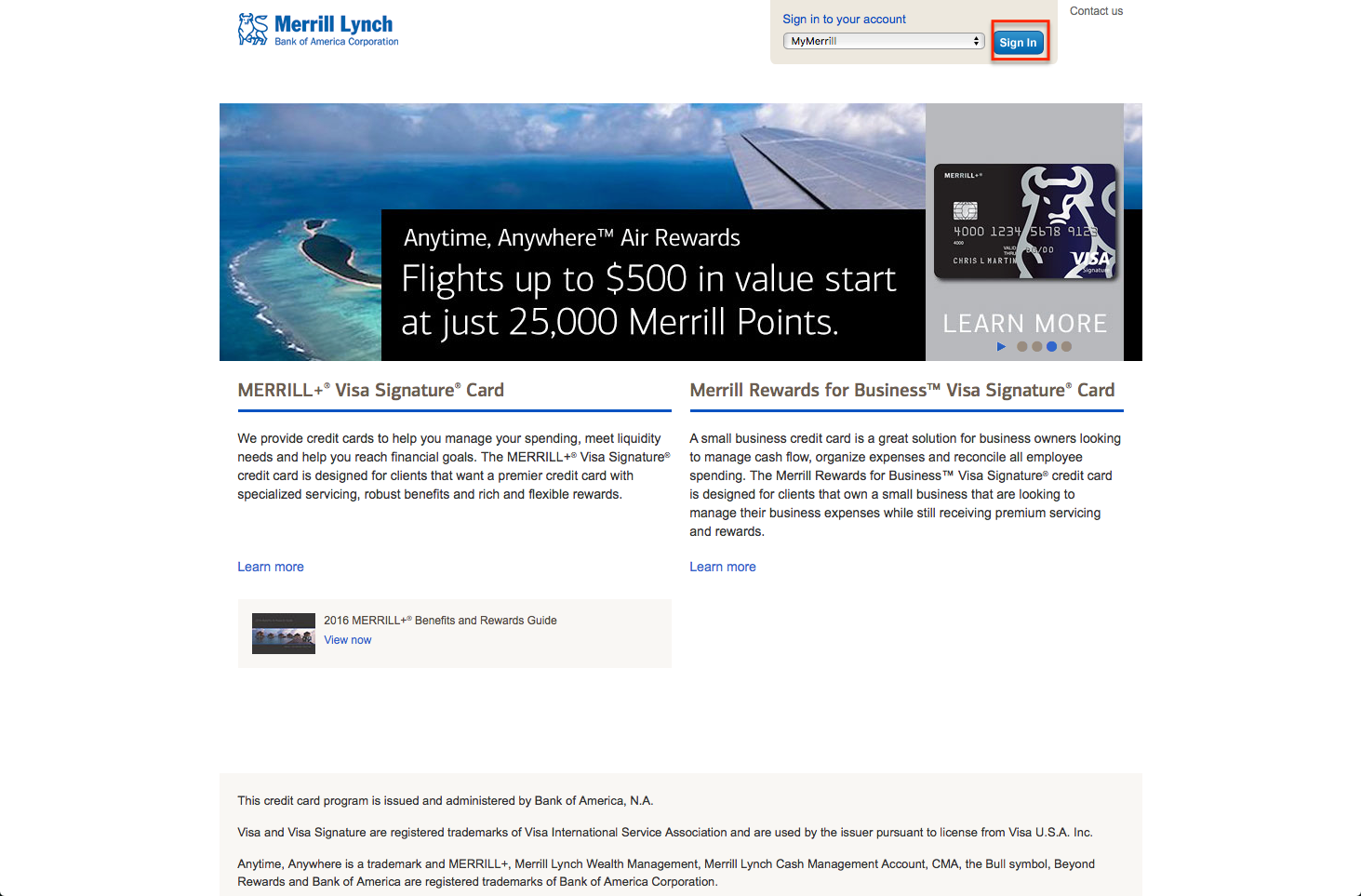
Step 1: Access the Merrill Lynch credit card website by clicking on this link.
On the upper right side of the screen, there is a link that reads Sign into your account.

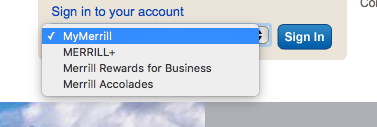
On the drop down menu choose to log in to Merrill + for the Merrill Plus personal credit card.
Press on the Sign In Button.
Step 2: Type in your Online ID and passcode, and click on the Sign In Button.

Forgot Password / Username
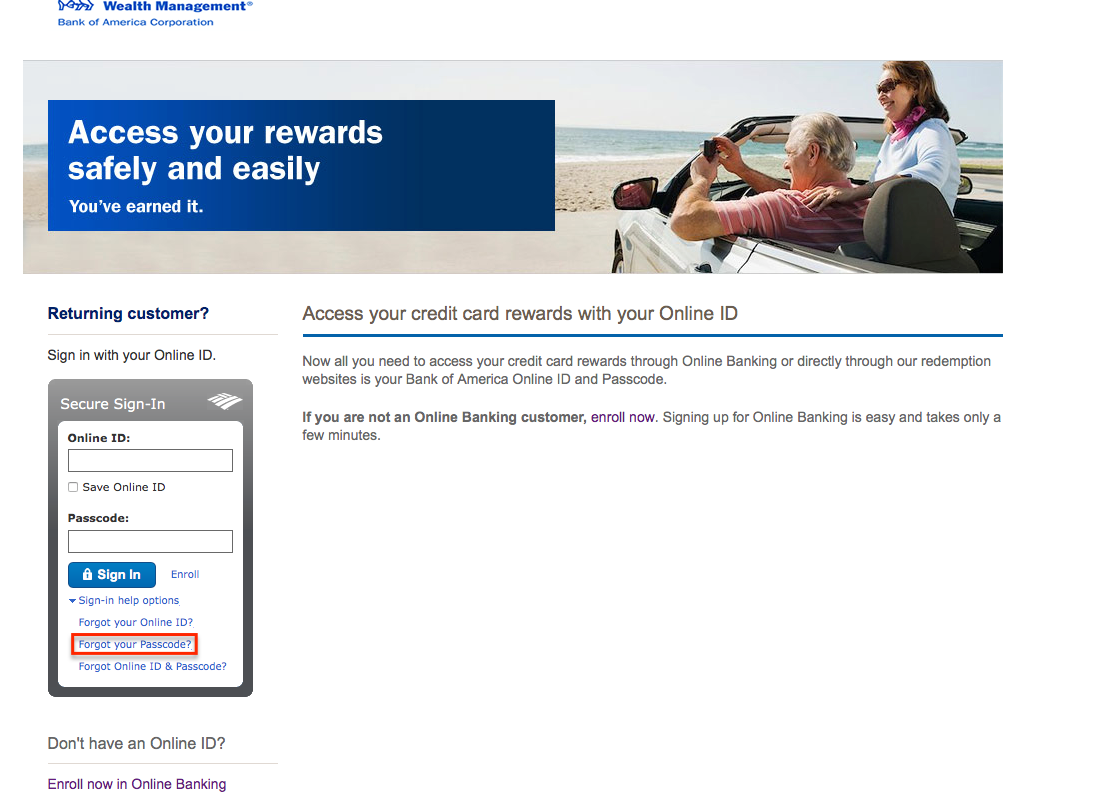
Step 1: If you forgot your username or your password, click on this link to access the sign in page.
Click on the Sign-in Help Options.
Select Forgot your passcode.
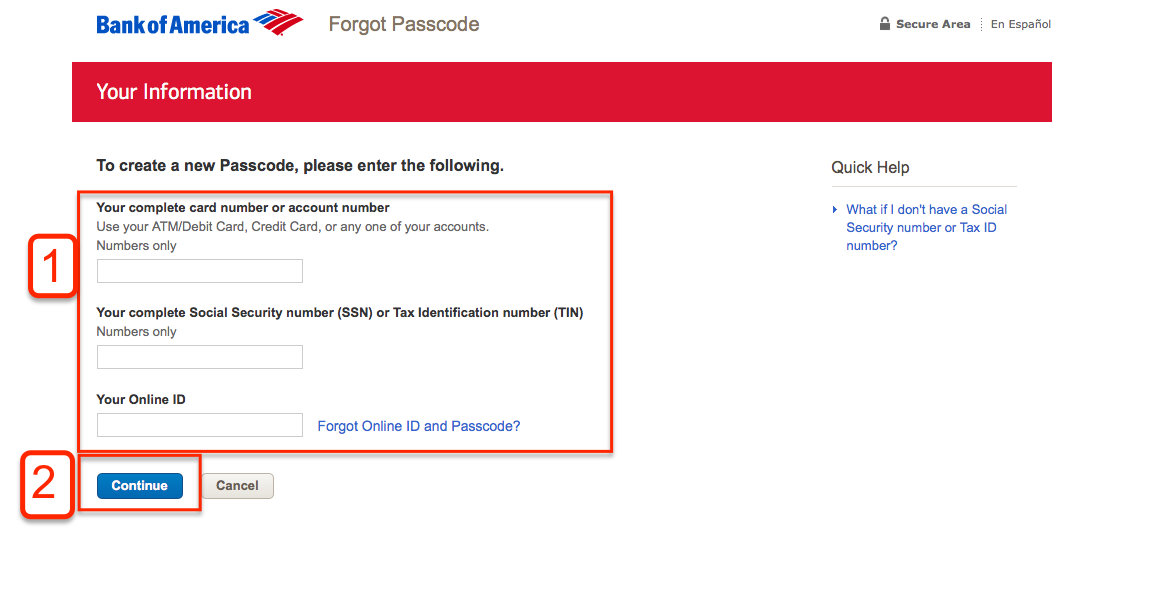
Step 3: To create a new Password, you will be asked to enter the following:
1. Complete card number or account number
2. Social Security Number or Tax Identification Number, and
3. Your Online ID.
Click on Continue and follow the prompts to retrieve your password.
Activation / Registration
Step 1: If you want to enroll your card for online access, click on this link to go to the login page.
Click on the Enroll Now in Online Banking link located at the bottom of the page.

Step 2: To start the process of enrolling your card, type in the following information:
1. Complete card number or account number and
2. Your Social Security Number or your Tax Identification Number.
Click on the Continue button found at the bottom of the page.

Step 3: The registration is a four step process.
You’ve just finished step 1, continue to fill up the information that it wants you to fill in until you get to the part that says Review where you will confirm all the information that you just typed.

FAQs
Q: What is the difference between SSN and ITIN?
ITIN stands for an Individual Taxpayer Identification Number, a tax processing number that the Internal Revenue Service issues. It consists of nine digits and always begins with the number 9. ITIN is available for nonresident and resident aliens who are not allowed to get a Social Security Number, or shortly SSN. SSN is issued only to U.S. citizens, permanent residents, and temporary residents who work there by the Social Security Administration.
Q: I am asked to provide ID issue date. Where can it be found?
Issue date is the date when your ID was issued. You can find it written at the front of your ID card. It is not unusual that you are asked for it, since the issue data is sometimes necessary when filling in the application form for the credit cards.
Q: Do I need to be registered to get access to useful online features?
Yes, in order to use the online banking benefits you need to fill in the account registration which is available any time any where. It is a quick and very easy process. All you need to do is to create a user ID and password and enter your card number. Some security information will also be necessary and the process is finished. Everything is free of charge. Considering the fact that some data from the card itself needs to be entered, it is better to have your Card at your hand.
Permium Credit Card Offers
Compare Merrill Lynch Credit Card
Recently Compared With (by users)
 Bloomingdale’s Credit Card
 Sears Credit Card
 USAA Cash Rewards American Express Credit Card
 Wells Fargo Propel American Express Card
 Bank of America® Travel Rewards Visa® Credit Card
 ACEP BankAmericard Cash Rewards Visa Credit Card
 American Signature Furniture Credit Card
 American Express Business Gold Rewards Credit Card
See All Comparisons >>
American Express Business Gold Rewards Credit Card
See All Comparisons >>


