


Westpac Altitude Platinum Credit Card Login | Make a Payment
 Card Info
 Application
Card Rating
Share Your Opinion
Review this card now and let others know your thoughts.
Click here to leave a reviewThe Westpac Platinum Credit Card gives you not only two great point reward systems to choose from but also provides you access to a facile online system where you can manage your account and make payments. Here, you can find out how to login, retrieve your credentials and activate your online account.
How to Login / Make a Payment
If you already activated your online account after receiving this credit card, here is how to proceed in order to login:
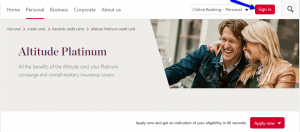
Step 1: From the credit card’s homepage press the ‘Sign In’ button.
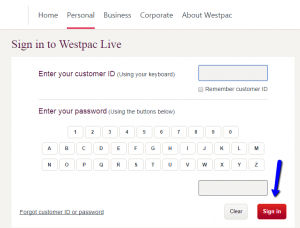
Step 2: Enter both your Customer ID and Password and click on the ‘Sign In’ button.
Forgot Password / Username
Do not worry if you don’t remember your credentials (customer ID and/or password), in a few easy steps you can retrieve them. Here is how to proceed in order to do this:
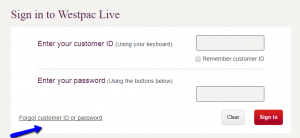
Step 1: On the credit card’s sign in page click on the ‘Forgot customer ID or password’ link to access the credential retrieval page.
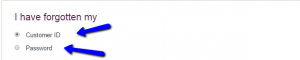
Step 2: Choose which of the credentials you forgot, i.e. customer ID or password.
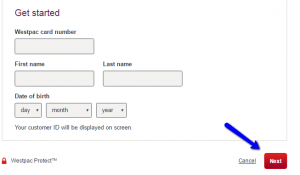
Step 3: Scroll down the page and enter your card number, first and last name, as well as your date of birth and press ‘Next’ to retrieve your credential(s).
Activation / Registration
If you did not yet activate your online banking account associated with this credit card, here is a step by step guide for how to do this:
Step 1: On the credit card’s homepage, click on the ‘Register’ button.
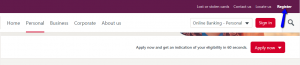
Step 2: In the pop-up window which will open after doing this select the ‘Westpac Live- Personal’ option.

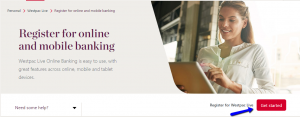
Step 3: Hit the ‘Get Started’ button in order to open the registration page.
Step 4: Introduce in all the provided fields personal information, including your credit card number, your first and last name and your date of birth and afterwards press ‘Next.’
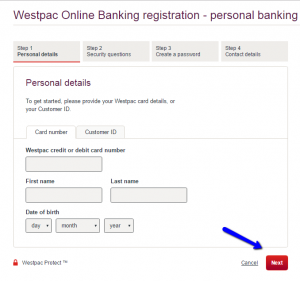
Step 5: Before completing the activation process you will also be required to answer several security questions, as well as to create a password and to introduce your contact details.

FAQs
Q: What is the difference between the two offered rewards programs?
Westpac Altitude Platinum Credit Card owners have the opportunity to choose between two rewards programs and those are: 1) Altitude Rewards, the program which offers up to 2 Altitude Points for $1 spent on eligible purchases, or 2) Altitude Quantas which offers up to 1 Qantas Point for $1 spent on eligible purchases, you can earn 1 bonus Qantas Point for every $1 you spend on selected Qantas products and services, and earn Qantas Points twice with Qantas Frequent Flyer Program partners. Both programs offer you the chance to earn 60,000 bonus Qantas or Altitude Points when you spend $3,000 on eligible purchases with a new Altitude Platinum credit card within 90 days.
Q: Where can my points be redeemed?
Your Altitude Points can be redeemed for gift vouchers, homewares, technology and holidays, or can be used as Frequent Flyer Points from 5 different programs, such as Virgin Australia – Velocit, Singapore Airlines – KrisFlyer, Malaysia Airlines – Enrich, Air New Zealand – Airpoints and Cathay Pacific - AsiaMiles. Your Qantas Points can be redeemed for reward flights with Qantas and over 30 partner airlines and affiliates, a Flight Upgrade Reward on eligible Qantas domestic and international flights, a range of merchandise and gift cards from the online Qantas Store and a flexibility to book your next Reward flight using Points Plus Pay.
Permium Credit Card Offers
Compare Westpac Altitude Platinum Credit Card
Recently Compared With (by users)
 The Platinum Card® from American Express
 Associated Bank Visa Bonus Rewards Credit Card
 Express Next Credit Card
 L.L. Bean Credit Card
 Air Force Federal Credit Union Credit Card
 Guitar Center Credit Card
 HSN Credit Card
 Ashley Stewart Credit Card
See All Comparisons >>
Ashley Stewart Credit Card
See All Comparisons >>


