


ACEP BankAmericard Cash Rewards Visa Credit Card Login | Make a Payment
 Card Info
 Application
Card Rating
Share Your Opinion
Review this card now and let others know your thoughts.
Click here to leave a reviewSince the ACEP BankAmericard Cash Rewards Visa Credit Card is issued by the Bank of America you can manage your online account directly through the bank’s platform. Read our guide for information on how to login, retrieve your credentials or activate your card online.
How to Login / Make a Payment
If you already have an online account, below you’ll find details on how to sign in:
Step 1: Navigate to the Bank of America homepage and click on the ‘Sign In’ button.

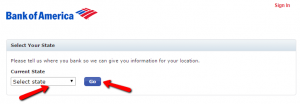
Step 2: Choose the state you are a resident of from the menu and press ‘Go’ to navigate to the sign-in page.
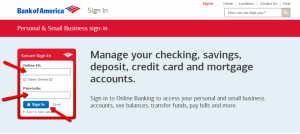
Step 3: Introduce your Online ID and Passcode and click on ‘Sign In.’
Forgot Password / Username
Should you forget your Online ID, passcode or both, there is an easy way to retrieve them.
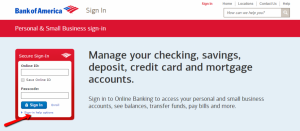
Step 1: From the login page you can press ‘Sign-in help options.’ A menu will appear from which you can select whether you forgot your ID, passcode or both.
Step 2: Make sure to select which of your credentials you forgot.
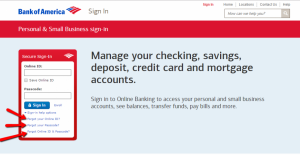
Step 3 (Online ID): If you forgot your Online ID, provide your credit card or account number, your Social Security Number or Tax Identification Number, your passcode and click on the ‘Continue’ button.
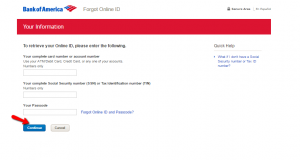
Step 3 (Passcode): In case you forgot your passcode, enter your card number or account number, your Social Security Number or Tax Identification Number, your Online ID and press ‘Continue.’
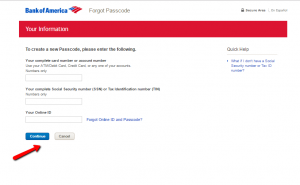
Step 3 (Online ID and Passcode): If you forgot both of your credentials, provide your complete card number or account number, your Social Security Number or Tax Identification Number and click on the ‘Continue’ button.
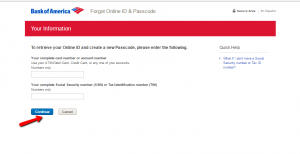
Activation / Registration
If you did not yet associated your card with an online account, here is what you need to do:
Step 1: From the login page click on the ‘Enroll’ button.
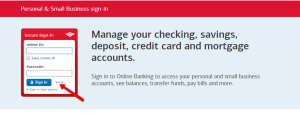
Step 2: Enter your card number or account number, your Social Security Number or Tax Identification Number and click on ‘Continue.’
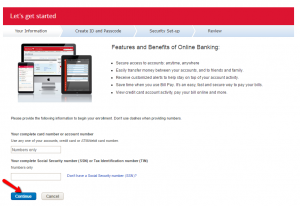
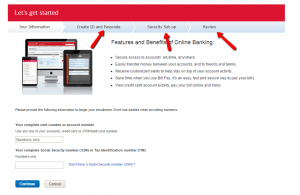
Step 3: You will be asked to create an Online ID and a passcode, to enter some security information and, after reviewing all the data you provided, you’ll be able to access your new online account.
FAQs
Q: What does ACEP stand for?
ACEP is the acronym of the American College of Emergency Physicians, which is a professional organization of emergency medicine physicians in the United States, with more than 31,000 physician members. Once you apply for the American College of Emergency Physicians BankAmericard Cash credit card, you will become the member who not only gets 3% cash back on certain purchases, but also helps support ACEP initiatives.
Q: What are the Statement Closing Dates?
Each and every credit card has a statement closing date which represents the last day of the billing cycle. It is not the same as your payment due date. All the payments during that month will be included in the statement up to the statement closing date. All the other transaction posted after the closing date will go on your next statement.
Q: What’s the difference between a card number and an account number?
The card number and account number are not the same. Your account number usually has 10-12 digits and it is specific to your personal account. It can be found your account on your monthly statement. Credit card number is the number written on the card and it has 16 digits. That number will change in case you lose your debit card or if the card expires. Your account number does not change.
Permium Credit Card Offers
Compare ACEP BankAmericard Cash Rewards Visa Credit Card
Recently Compared With (by users)
 Virgin Atlantic MasterCard Credit Card
 Arvest Classic Mastercard Credit Card
 Target Red Card Credit Card
 Affinity Credit Union Student Choice Rewards MasterCard
 Zions AmaZing Low Rate Credit Card
 Best Buy Credit Card
 Affinity Credit Union Low Rate MasterCard
 Union Plus Credit Card Rate Advantage
See All Comparisons >>
Union Plus Credit Card Rate Advantage
See All Comparisons >>


