


ABNB Visa Platinum Rewards Credit Card Login | Make a Payment
 Card Info
 Application
Card Rating
Share Your Opinion
Review this card now and let others know your thoughts.
Click here to leave a reviewWith the ABNB Visa Platinum Rewards Credit Card you will not only enjoy the great rewards program but can also manage your account online through the ABNB online platform. Our guide offers you information on how to sing in, retrieve your credentials and enroll in online banking.
How to Login / Make a Payment
If you have already opened an ABNB online account, it is easy to log in and access you credit, make payments and manage your income directly from your PC. Here is what you need to do:
Step 1: Navigate to the ABNB credit card’s homepage and click on the ‘ONLINE BANKING LOGIN’ button.

Step 2: Introduce in the required field your User ID and press the ‘Log In’ button. In a next step you will also be asked to provide your password.

Forgot Password / Username
Should you forget your password, here is a step by step guide on how to reset it:
Step 1: Visit the card’s login page and click on the ‘Forgot your password?’ link.

Step 2: In the newly opened page, introduce in the required field the following information: your user ID, primary account holder name, social security number, date of birth, Zip code and email address and click on the ‘Submit’ button. In case you cannot remember some of this information, you can call this phone number: (757) 523-5300 to get immediate assistance from an operator of the ABN Bank.

Activation / Registration
You will need to set up a new account/register your card online before being able to use online banking. Here are the steps you need to follow:
Step 1: From the credit card’s homepage, press the ‘Click here’ link next to ‘Need to enroll in Online Banking?’ in order to open the card’s registration page.

Step 2: Carefully read the Self-Enrollment Disclosure and, should you agree with it, click on the ‘I Agree’ button.
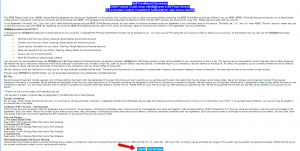
Step 3: In the next card’s activation window introduce in the appropriate fields the following information: your account number, primary account holder name, social security number, date of birth, Zip code and email address. Click on the ‘Submit’ button to complete your activation.

FAQs
Q: How can I contact ABNB?
There are various ways of contacting ABNB for getting all the necessary information. You can do it via telephone number 1 (800) 443-1141 or an E-Mail found on the web address https://www.abnbfcu.org/about-us/contact-us.html. There is also a mailing Address: 830 Greenbrier Circle, Chesapeake, VA, 23320.
Q: What is Self-Enrollment?
Self-enrollment is the method where users can choose to enroll themselves into something by agreeing to the given terms and conditions. When bank accounts are in question, self-enrollment disclosure is given to the members to sign, and it describes their rights. Nowadays, electronic disclosures are given and the account holder needs to give his/her consent electronically in response to the request.
Q: Can I customize my card?
Yes, there is an option for customizing your credit card. You need to visit its site and enter the required account information. Once you finish that, click, "Submit Information and Design Your Card.” You can upload the photo you want to be on the card or select an image from the gallery. When you click “Preview” you can see how the card will look like. If you are satisfied with what you see, you just need to click “Submit.” You can take the card at your branch within one business day.
Permium Credit Card Offers
Compare ABNB Visa Platinum Rewards Credit Card
Recently Compared With (by users)
 Chevron Premium Credit Card
 Animal Friends Visa Credit Card
 USAA Rewards Visa Signature Card
 Wells Fargo Cash Back College Visa Card
 Virgin Atlantic MasterCard Credit Card
 Barneys New York Credit Card
 Raymour and Flanigan Credit Card
 Hilton Honors American Express Card
See All Comparisons >>
Hilton Honors American Express Card
See All Comparisons >>


